


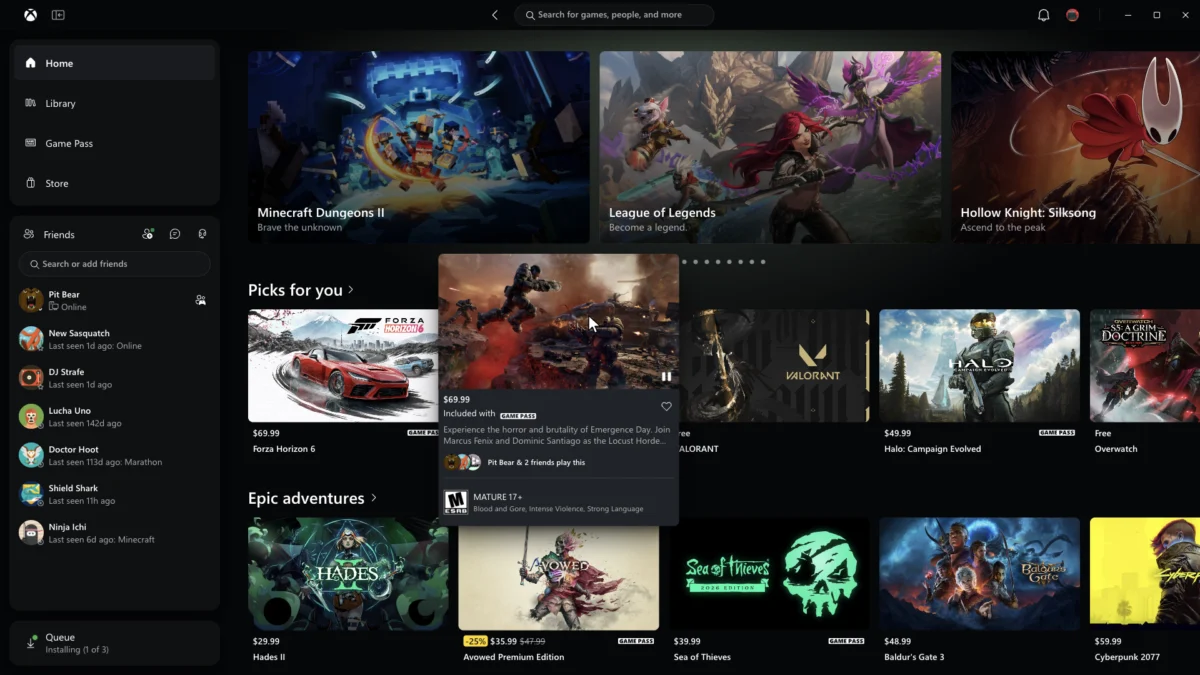
Microsoft is stepping firmly into the ongoing optimization race among digital storefronts, announcing a major overhaul of the Xbox PC app aimed at boosting performance and simplifying user navigation. Currently rolling out to members of the Xbox Insiders program, the refreshed application introduces dramatic speed improvements across the board, featuring launch times that are up to 60 percent faster than previous iterations.
According to official details shared by Microsoft, the performance upgrades extend far beyond the initial application startup. Core areas of the platform—including the home dashboard, the digital storefront, and the dedicated Game Pass pages—now load up to 50 percent faster. Furthermore, individual in-app windows and menus open up to 65 percent faster, though the company notes that exact performance gains will vary depending on a user’s specific hardware configuration, device performance, internet connection speeds, and overall system usage.
Alongside the under-the-hood performance tuning, the update brings a substantial redesign to the app’s user interface and navigation layout. The Xbox team has worked to streamline library management, making it easier for players to sort, filter, and organize their installed and available games. Search functionality has also been enhanced to help users locate titles more efficiently within the sprawling Game Pass catalog and their personal libraries.
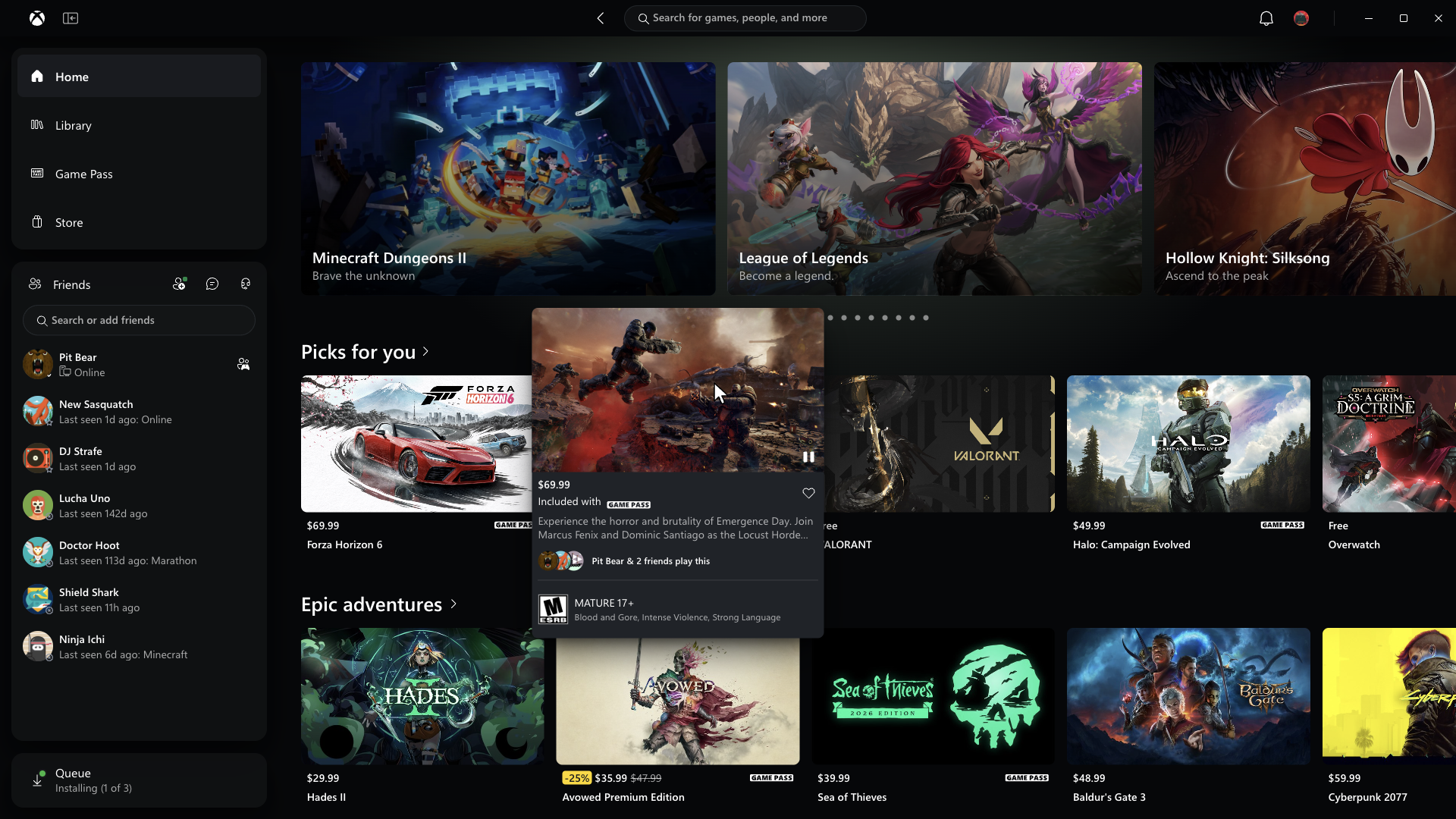
A particularly notable change involves the integration of social and friend features. Previously tucked away or requiring additional navigation steps, friend lists and community features are now incorporated directly into the main navigational window. This adjustment addresses a long-standing point of friction for players who occasionally dipped into the platform for specific multiplayer experiences. For instance, players returning to the platform for nautical adventures in titles like Sea of Thieves often noted that connecting with friends felt somewhat cumbersome compared to the frictionless social overlays found on rival platforms like Steam. While the previous system functioned adequately, the streamlined layout makes coordinating gaming sessions with online crews a much smoother process.
Despite these welcome quality-of-life adjustments and performance enhancements, the broader industry landscape raises questions about how much these speed improvements will influence consumer habits. Microsoft’s focus on velocity arrives during a broader trend among digital storefronts competing for performance supremacy. Earlier, the Epic Games Store promoted its updated launcher architecture as faster than Steam, a claim that was met with a mix of technical testing and consumer skepticism, partly driven by debates surrounding automated features and artificial intelligence integration. Many in the PC gaming community responded with indifference, questioning whether marginal speed improvements in a launcher would be enough to draw players away from platforms they already use by default.
Furthermore, competition in launcher optimization remains fierce. Steam recently rolled out its own performance update designed to improve loading speeds and overall responsiveness, effectively blunting the marketing impact of speed boosts claimed by competing storefronts like Epic and Xbox. Because the vast majority of PC gamers already maintain their primary game libraries on Steam, performance improvements alone may face an uphill battle in convincing users to make the Xbox app their primary destination unless they are actively utilizing subscription services like Xbox Game Pass.
For users eager to test out the faster speeds and redesigned interface firsthand, access is currently restricted to the Xbox Insider program. To participate and preview the updated software, users must install the Xbox Insider Hub application through the Windows ecosystem. Beyond the desktop client, Microsoft has also indicated that a refreshed Xbox web experience is on the horizon. This upcoming web update aims to deliver a modernized library tab, more efficient use of screen space, and multiple visual display options, including light, dark, and high-contrast modes to accommodate different user preferences and accessibility needs.





Comments (0)